
Yo, what’s up everyone! So, you’re scrolling through your Discord server and you see your squad’s profiles looking absolutely fire with all these custom avatar decorations, while yours is still looking kinda… basic. I feel you, fam. Who wants to spend real money just to flex a little digital swag, right? Well, guess what? Epic Games is back at it again with another banger of a freebie. As of 2026, Fortnite is hooking us up with an exclusive Supply Llama Avatar Decoration for Discord, and it won’t cost you a single V-Buck. If you’re ready to level up your profile game, stick with me – I’m gonna break down exactly how to snag this free cosmetic. It’s easier than getting a Victory Royale in a bot lobby, I promise!
How to Claim Your FREE Fortnite Supply Llama Avatar Decoration 🦙
Alright, let’s get straight to the point. To get your hands on this exclusive digital drip, you gotta complete a simple in-game quest. The key thing? This quest is ONLY available through the Discord app itself. It’s a collab, and we love to see it! The process is super similar to previous avatar decoration quests, so if you’ve done one before, this will be a breeze.
Here’s your step-by-step battle plan:
-
Prep Your Gear: First things first, make sure you have both the Fortnite and Discord desktop apps downloaded and updated on your PC. Mobile won’t work for this one, so fire up that rig!
-
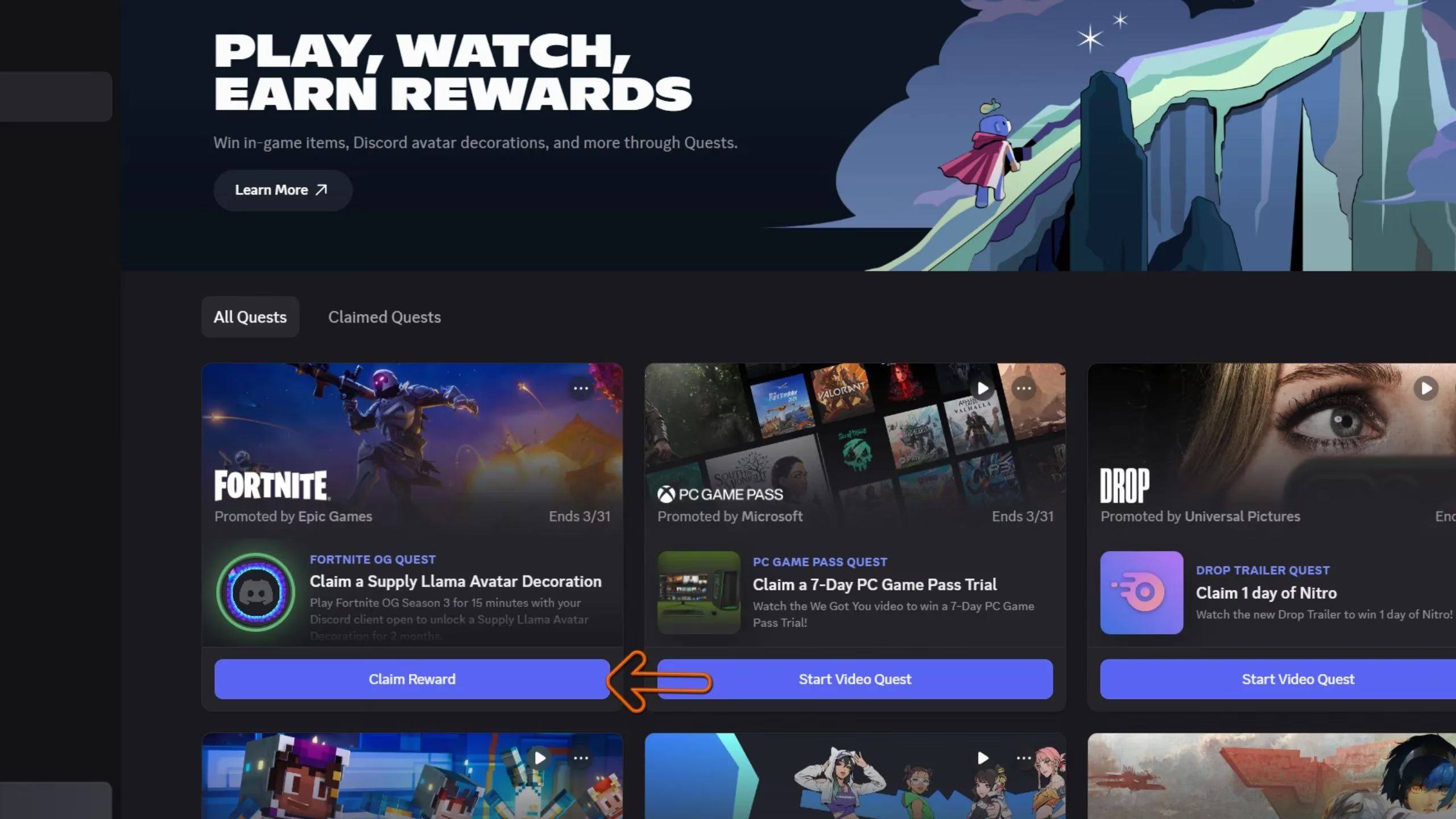
Open Discord & Find the Quest Hub: Launch Discord and look at the left sidebar. You’ll see a ‘Discover’ button (it usually has a little compass icon). Click that bad boy.
-
Navigate to Quests: Inside the Discover menu, you’ll see a section on the left called ‘Quests’. Click on it. This is where all the free goodies live!
-
Locate the Fortnite Quest: Scroll through the available quests until you spot the one for Fortnite. In 2026, it’s still listed under the classic ‘Fortnite OG Quest’ name. Can’t miss it!
-
Accept the Challenge: Click on the quest and hit that ‘Accept Quest’ button. You’re officially on the mission!
The (Super Easy) Mission Objective 🎯
Now for the actual “work.” Once you’ve accepted the quest, here’s all you need to do:
-
Boot up Fortnite and jump into the OG mode. (You know, for that sweet nostalgia hit).
-
Make sure your Discord app is still running in the background. Don’t close it!
-
Play for just 15 minutes. That’s it! You don’t need to win, you don’t need a certain number of elims – just vibe and play the game. You can land at a remote spot and fish for 15 minutes if you want, no one’s judging!
Claim Your Reward and Flex! 💪
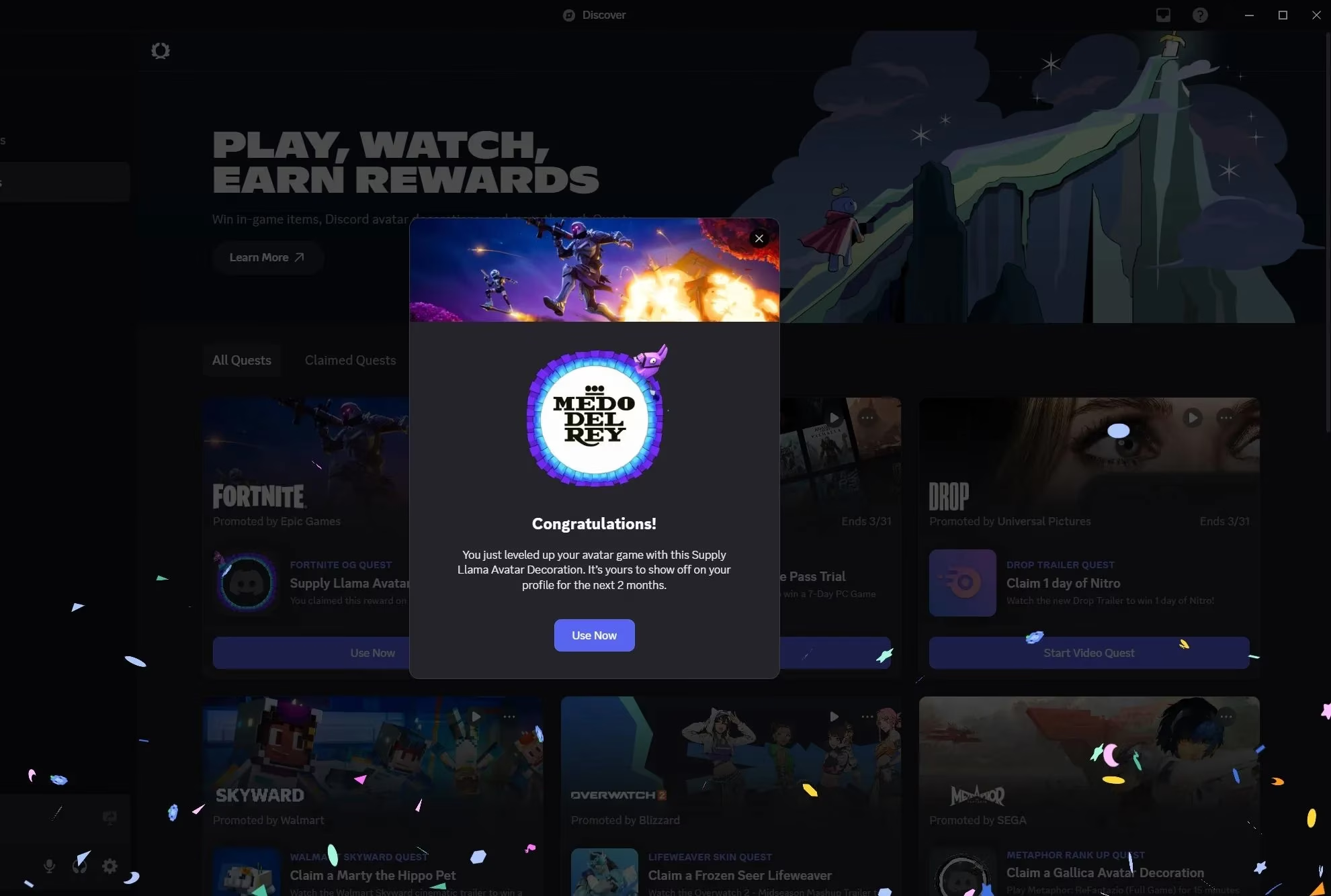
After your 15-minute session is done (feel free to keep playing, obviously), head back to the Quests tab in Discord. You should see a notification or a button prompting you to claim your reward. Click it, and BOOM! The exclusive Supply Llama Avatar Decoration is all yours.
Go to your Discord settings, find the Avatar Decorations section, and equip that glorious llama. Now your profile is officially no longer mid. It’s a total W!
Pro-Tips & FAQs for 2026 🤔
Let me answer some questions you might have, because I got you:
-
Do I need to link my accounts? Usually, yes. Make sure your Epic Games account is linked to your Discord account beforehand. You can check this in Discord’s Connections settings.
-
What if the quest doesn’t show up? Try restarting both apps. If it’s still not there, double-check that you’re on the desktop app and not the web version of Discord.
-
Is this a limited-time offer? Most of these quests are! Epic Games doesn’t keep these freebies around forever. So if you’re seeing this in 2026, don’t sleep on it – go get it now!
-
Can I do this on console? Unfortunately, the quest tracking requires the Discord desktop app to be running on the same device. So PC is the way to go for this specific promo.
Seriously, this is one of the easiest ways to get some fresh, free cosmetics. It’s a total no-brainer. So, what are you waiting for? Go complete that quest, rep that Supply Llama, and make your Discord friends jealous. Your profile is about to go from zero to hero real quick. GG and go get that loot! 🚀